
How to stay connected in Japan
For international travelers, reliable internet access in Japan is less about posting photos and more about keeping the trip moving. You will probably use your phone to navigate large stations, check train platforms, translate menus, open booking confirmations, monitor service disruptions and find the correct exit from an underground complex.
Japan has widespread mobile coverage and plenty of public Wi-Fi, but free hotspots are not consistent enough to be your only connection. Most travelers are better served by an eSIM, physical SIM, international roaming plan or Pocket Wi-Fi router, with offline maps as a backup. Japan’s official tourism guide also recommends arranging a personal connection when dependable access matters outside hotels and major public hotspots.
Can I Use My Phone in Japan?
In most cases, yes—but check your device before buying a plan.
Confirm That Your Phone Is Unlocked
An eSIM or Japanese physical SIM will not work correctly if your phone is locked to your home carrier. Check the device settings or contact the carrier before departure rather than discovering the restriction after landing.
Some phones purchased through payment plans remain locked even when they support eSIM technology.
Check eSIM and Dual-SIM Support
Modern iPhones and many recent Android devices support eSIMs, although the exact number of active SIMs varies by model and region.
Dual-SIM support can be particularly useful. You may be able to use a travel eSIM for data while keeping your usual SIM active for calls or verification messages. Check roaming charges before doing this, as your home carrier may still charge for calls, outgoing messages or background usage.
Many travel eSIMs are data-only. They give you mobile internet but not a Japanese phone number, conventional calls or SMS. WhatsApp, LINE, FaceTime, iMessage and similar internet-based services will still work.
Check the Plan, Not Just the Word “Unlimited”
“Unlimited” does not always mean unlimited high-speed use. Some plans reduce speeds after a daily or total allowance, restrict video quality or limit hotspot tethering.
Check:
Total high-speed data
Daily fair-use limits
Reduced speed after the limit
Whether hotspot or tethering is allowed
Which Japanese network the service uses
Activation and expiry rules
Whether the plan starts at installation or first network connection

Pocket Wi-Fi, eSIM or Roaming?
This is one of the most active conversations among current Japan travelers because there is no single winner for every trip.
A recent Pocket Wi-Fi versus eSIM discussion reflects the current divide: solo travelers increasingly prefer eSIMs for convenience, while Pocket Wi-Fi remains useful for families, locked phones and groups sharing several devices.
Another traveler comparison of Pocket Wi-Fi, eSIM and international roaming highlights an important change: roaming is not automatically the most expensive option. Some home-carrier plans now include Japan or offer competitively priced monthly upgrades, so it is worth checking your existing account before buying anything else.
Choose an eSIM If You:
Are traveling alone
Have an unlocked compatible phone
Want internet immediately after landing
Do not want another device to carry
Expect to separate from your travel companions
Are comfortable completing the setup yourself
Do not need a Japanese phone number
Choose Pocket Wi-Fi If You:
Are traveling as a couple, family or group
Need to connect several phones, tablets or laptops
Have a carrier-locked phone
Want to share one data plan
Need a connection for a Wi-Fi-only device
Prefer not to change your phone’s SIM settings
Choose International Roaming If You:
Already have affordable Japan coverage
Need to keep your usual number fully active
Are taking a short trip
Want the simplest possible setup
Need conventional calls and SMS as well as data
Always confirm the price, high-speed allowance and whether the roaming charge applies per day, billing cycle or line.
Do You Really Need Pocket Wi-Fi?
Pocket Wi-Fi is no longer the default choice for every Japan trip, but it remains one of the most practical options for groups and travelers carrying multiple devices.
A Pocket Wi-Fi router receives a mobile data signal and creates a private Wi-Fi network around you. Everyone in the group connects using the network name and password, just as they would at a hotel.
The current JRPass.com Pocket Wi-Fi supports up to five simultaneous devices. It provides 5 GB of high-speed data per day before reduced speeds apply and lists approximately six hours of continuous use, so carrying a charged power bank is sensible. Airport pickup and return options are available.
Pocket Wi-Fi Advantages
Several devices can share one connection.
It works with phones that cannot use an eSIM.
No physical SIM swap is required.
Travelers can connect tablets and laptops.
The cost can be shared across a group.
It creates a private network rather than relying on open public Wi-Fi.
Pocket Wi-Fi Limitations
It must be charged and carried each day.
The group loses access if the person carrying it walks away.
Speed is divided between connected users.
Pickup and return must fit your airport or delivery plans.
Tunnels and remote terrain can temporarily interrupt service.
High-speed “unlimited” plans may still have fair-use thresholds.
Battery life is one of the most repeated practical warnings from travelers. In a recent first-trip advice discussion, one traveler recommended turning the router off when it was not needed and carrying backup power, while reporting that airport pickup and return were straightforward.

Best Ways to Get Internet in Japan
Japan offers several reliable ways to stay connected, but the best choice depends on your device, budget, data needs and travel style. The options below compare eSIMs, Pocket Wi-Fi, physical SIM cards, roaming and public connections so you can choose the setup that will be easiest to use throughout your trip.
1. eSIM
For an unlocked compatible phone, an eSIM is usually the lightest and quickest option.
Purchase the plan online, receive the installation instructions and add it to your phone before departure. Follow the provider’s activation instructions carefully: some plans begin only when they connect to a Japanese network, while others may start when installed.
Do not delete the eSIM after installation unless the provider tells you to. Many QR codes can be used only once.
An eSIM works best for:
Solo travelers
Couples who each want independent connections
Trips involving frequent separation
Travelers who need immediate data on arrival
People comfortable managing SIM settings
Download your provider’s instructions before flying. Some travel eSIMs require data roaming to be switched on for that particular line, even though roaming should remain off for your home SIM.
2. Pocket Wi-Fi
Pocket Wi-Fi is best when several people will remain together or when you need to connect more than one type of device.
Reserve the router before travel when possible. Depending on the provider, it may be collected from an airport counter, delivered to a hotel or sent to another supported location.
Check the return procedure carefully. Some devices must be returned at a particular airport counter, while others use a prepaid envelope or drop box.
3. Physical Prepaid SIM
A physical data SIM can work well for an unlocked phone that does not support eSIM.
SIM cards are sold online, at airports and through selected electronics stores. Activation requirements and supported phone models vary by provider. Some are data-only, while plans with voice service or a Japanese phone number may involve additional identity checks.
Keep your original SIM somewhere secure and bring the correct SIM-eject tool.
A physical Japan SIM may also be available during checkout when purchasing a national Japan Rail Pass or selected regional rail passes.
4. International Roaming
Roaming is the easiest option because it requires little or no device setup. It may also preserve your normal number, calls and text messages.
The cost varies dramatically. One carrier may charge a high daily fee, while another includes Japan in an international plan or monthly upgrade.
Before departure, check:
Whether Japan is included
High-speed data limits
Reduced speeds after the allowance
Calls and SMS charges
Whether the fee applies automatically
Whether every line on a family plan is charged separately
Hotspot or tethering restrictions
5. Free Public Wi-Fi
Free Wi-Fi is available at many airports, hotels, cafés, tourist facilities and major stations, but access, speed and login procedures vary. Japan’s official tourism guidance notes that public signals can be patchy or slow and may require registration.
Do not plan an entire journey around free hotspots. A network that worked on a previous visit may have changed or disappeared.
For example, Tokyo Metro states that its own free station Wi-Fi service has been suspended since July 1, 2026, while equipment is upgraded. Check its official free Wi-Fi page for the latest status.
When using an open network:
Avoid sensitive banking or account changes.
Confirm that the network name belongs to the venue.
Prefer encrypted websites and apps.
Turn off automatic connection to open networks.
Forget the network when you leave.
Consider using a trusted VPN.
6. Hotel and Ryokan Wi-Fi
Most city hotels provide guest Wi-Fi, but speed and room coverage are not guaranteed. Traditional ryokan, small minshuku and remote mountain accommodation may offer weaker service or no connection at all.
Check the accommodation listing when internet access is essential for work, video calls or onward planning. JNTO specifically advises confirming Wi-Fi in advance for small traditional and rural properties.
7. Internet Cafés and Manga Kissa
A manga kissa, or manga café, is a Japanese internet café where customers rent a private or semi-private booth by the hour. In addition to large manga libraries, many locations provide computers, Wi-Fi, charging outlets, printing, drinks and, at selected branches, showers, lockers and overnight packages.
Manga cafés can be useful when you urgently need a computer, printer, charging point or temporary place to work in a large city. However, they are not a practical substitute for mobile internet while sightseeing. First-time visitors may need to register and show identification, and services vary considerably between branches.
How Much Data Do You Need?
Data use depends less on the number of travel days than on what you do with your phone.
Light Use
Maps, messaging, email, basic translation and occasional searches may use roughly 1 GB per day or less when automatic backups and video playback are restricted.
Moderate Use
Frequent navigation, social media, photo uploads, restaurant research and short videos can use several gigabytes per day.
Heavy Use
Video streaming, cloud backups, hotspotting laptops and uploading large files can consume data quickly.
Before traveling:
Disable automatic app updates.
Pause cloud photo and video backups.
Download music, shows and podcasts.
Save offline maps.
Download the Japanese language pack for your translation app.
Reduce streaming quality.
Restrict background data for unnecessary apps.
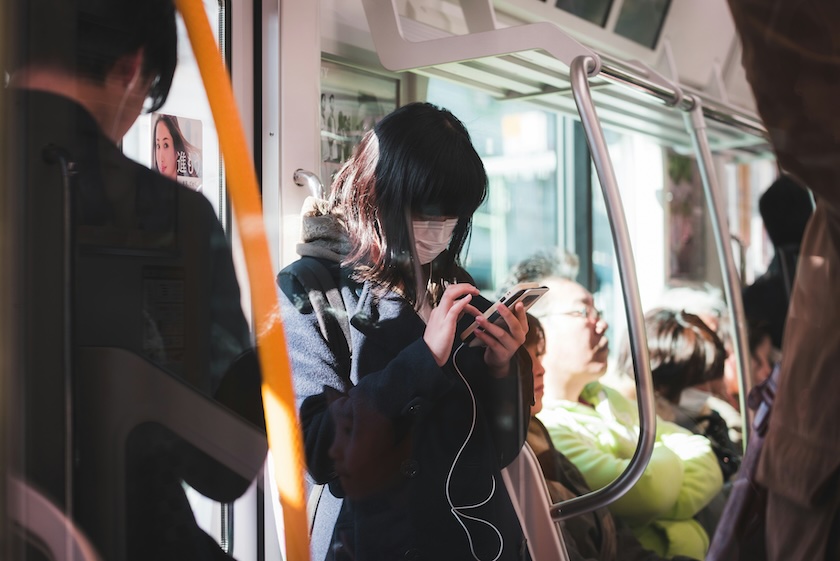
Setting Up Connection Before You Fly
Preparing your connection before departure can save time and frustration after landing. Confirm that your phone is compatible, download any required instructions, and save booking details offline so you can activate your eSIM or collect your Pocket Wi-Fi even if airport Wi-Fi is slow or unavailable.
For an eSIM
Confirm that the phone is unlocked and compatible.
Purchase from a reputable provider.
Save the QR code and written instructions offline.
Install the eSIM when instructed.
Label the new line clearly, such as “Japan Data.”
Keep your home line’s data roaming switched off.
Choose the Japan eSIM as the mobile-data line.
Follow the provider’s instructions when you land.
For Pocket Wi-Fi
Reserve the device.
Confirm the exact pickup terminal and opening hours.
Save the booking confirmation offline.
Check the return location and deadline.
Pack a power bank and charging cable.
Connect all group devices after collection.
Store the router in the same day bag as the power bank.
A Meet & Greet service can assist with airport arrival, collecting Pocket Wi-Fi, activating an eligible rail pass, reserving train seats and finding the correct onward bus, train or taxi. The service is available independently of a rail-pass purchase.
Using Reliable Internet on Japan’s Trains
A mobile connection is especially helpful when navigating major stations. Apps can show:
Departure times
Platform numbers
Transfer stations
Station exit numbers
Delays and cancellations
Walking routes inside and outside stations
Last-train options
Station codes such as G09 or M08 can help you confirm the correct subway line, but they do not replace the complete route instructions.
Download the address and Japanese name of your accommodation before your first train ride. This is useful when you need to show a station employee, taxi driver or local bus operator where you are going.
Do Shinkansen Trains Have Wi-Fi?
Some Shinkansen services provide onboard Wi-Fi, but performance can vary, and connections may drop inside tunnels or mountainous areas. Do not rely on train Wi-Fi for urgent work, ticket access or an important call.
Keep screenshots or offline copies of:
Train tickets
Seat and carriage numbers
Hotel confirmations
Passport details
Important addresses
Event reservations
For more rail-planning advice, see the Complete Guide to the Shinkansen.
Tickets, National Pass or Regional Pass?
Connectivity makes train planning easier, but the right ticket still depends on your route.
For a fixed Tokyo–Kyoto or Tokyo–Osaka journey, compare available point-to-point train tickets. JRPass.com currently focuses its digital ticket service on the Tokyo, Kyoto and Osaka Golden Route.
A national Japan Rail Pass may suit an itinerary with several long-distance JR journeys. It covers eligible JR trains and most Shinkansen services, while Nozomi and Mizuho services require an additional special ticket.
A regional rail pass may offer better value when most of your travel stays inside one specific area. Regional passes are limited to named routes, operators and validity periods rather than being customizable.
Is an eSIM or Pocket Wi-Fi Cheaper?
The cheapest option depends on:
Number of travelers
Number of devices
Trip length
Data use
Whether the group will separate
Home-carrier roaming prices
Pickup and return logistics
Fair-use limits
Tethering requirements
Do not compare connectivity options by headline price alone. A cheap eSIM may include less high-speed data, while Pocket Wi-Fi plans may have pickup requirements, return deadlines, loss fees or daily speed reductions.
Which Internet Option Is Best for Your Japan Trip?
The best way to stay connected depends on how many people are traveling, whether your phone is unlocked, how much data you expect to use and whether your group will stay together. Use the table below to compare eSIMs, Pocket Wi-Fi, international roaming and Japanese SIM cards by traveler type and choose the option that best matches your trip.
Traveler Type or Situation |
Best Option |
Why |
|---|---|---|
Solo traveler with one unlocked phone |
eSIM |
Convenient, lightweight and easy to activate without carrying another device. Keep the setup instructions available offline in case activation does not work immediately. |
Two travelers who may separate |
One eSIM each |
Each person stays independently connected for navigation, messaging and bookings. |
Couple staying together most of the day |
Pocket Wi-Fi or two eSIMs |
Pocket Wi-Fi may be cheaper when both travelers remain together, while separate eSIMs provide more independence. |
Family or group staying together |
Pocket Wi-Fi |
One router can connect several phones, tablets or laptops and allows the group to share the cost. Plan how everyone will communicate if the group separates. |
Business traveler |
International roaming |
Useful when keeping your usual phone number and receiving calls or messages is more important than price. Confirm that hotspot access is included when connecting a laptop. |
Traveler with a carrier-locked phone |
Pocket Wi-Fi or international roaming |
An eSIM or physical SIM will not bypass a carrier lock. |
Very short trip with affordable carrier coverage |
International roaming |
Often the simplest option when your existing carrier offers a reasonably priced Japan package. |
Traveler carrying a laptop or several Wi-Fi-only devices |
Pocket Wi-Fi |
Provides one shared connection for multiple devices without needing separate SIM plans. |
Traveler who needs a Japanese phone number |
Voice-enabled Japanese SIM |
Most tourist eSIMs are data-only and do not provide a Japanese number, conventional calls or SMS. |
Low-budget traveler |
Limited-data eSIM or carrier travel plan |
Compare the complete price and data allowance. Free Wi-Fi can reduce usage but should not be your only connection for navigation and important bookings. |
FAQs About Wi-Fi in Japan
Q: What is the best internet option for Japan?
A: An eSIM is usually the most convenient choice for a solo traveler with an unlocked compatible phone. Pocket Wi-Fi is often better for families, groups and multiple devices, while roaming may be simplest when Japan is already included in your mobile plan.
Q: Is Pocket Wi-Fi better than an eSIM in Japan?
A: Pocket Wi-Fi is better for sharing one connection across several devices. An eSIM is lighter, requires no separate battery and keeps each traveler independently connected.
Q: Can I rely on free Wi-Fi in Japan?
A: Free hotspots are useful as a backup, but coverage, speed and login rules vary. They are not dependable enough for constant navigation, translations or time-sensitive bookings.
Q: Does a Japan eSIM include a phone number?
A: Most tourist eSIMs are data-only and do not include a Japanese number, traditional calls or SMS. Check the plan details before purchasing.
Q: Can I keep using my normal phone number with an eSIM?
A: A dual-SIM phone may allow your home line to remain active while the eSIM handles data. Check your home carrier’s roaming charges before leaving that line switched on.
Q: Should I install my eSIM before traveling?
A: Usually, yes, but follow the provider’s instructions. Some plans start when installed, while others begin only after connecting to a network in Japan.
Q: Can several people share one Pocket Wi-Fi router?
A: Yes. The JRPass.com router supports up to five simultaneous devices. Remember that everyone must remain near the person carrying it, and shared use can reduce speed.
Q: Does Pocket Wi-Fi work on the Shinkansen?
A: Generally, yes, although the connection may briefly drop in tunnels or remote areas. Keep essential tickets and booking details available offline.
Q: How much mobile data do I need for Japan?
A: Light use may stay around 1 GB per day, while social media, frequent uploads and video can require several gigabytes. Cloud backups and streaming are the biggest sources of unexpected usage.
Q: Do I need internet as soon as I land?
A: It is strongly recommended. Airport directions, train routes, transfer information and accommodation addresses are much easier to manage with immediate access, especially after a long flight.